
How to Use an AI Image Generator App for Marketing and Content Creation
 0
0
 0
0
Creating compelling content has always been key to successful digital marketing. In today’s visually driven world, producing high-quality images quickly and affordably is a challenge, especially for small teams or solo creators. That’s where tools like an AI image generator app come in handy. With just a few prompts, these tools can bring ideas to life in seconds, giving marketers and creators a fast way to stand out online.
Whether you’re building a brand from scratch or just looking to save time, here’s how to harness the full potential of AI-generated visuals in your strategy.
Start With a Clear Purpose
Before you open up any tool or type in a prompt, take a moment to define why you need an image. Is your goal to grab attention as someone scrolls through social media? Do you need a blog header, a product mockup, or an ad banner?
AI tools are powerful, but they perform best when given clear direction. Knowing your goal will help you craft better prompts and select the right style for your content. Having a clear purpose also helps your visuals stay consistent and in tune with your brand’s voice.
Write Prompts Like You Talk
AI responds to natural language, so speak to it like you would to a designer. Instead of “sunset,” try “a peaceful beach at sunset with warm orange and pink tones.” The more descriptive you are, the better your image will match your expectations.
Don’t be afraid to include emotions or moods. Want your newsletter header to feel calm and inviting? Say that. The AI interprets tone, atmosphere, and even abstract ideas remarkably well when prompted the right way.
Match the Style to Your Brand
Your brand likely already has a personality, whether it’s minimal, playful, bold, or vintage. Make sure the style of your generated images reflects that. Most image generator apps let you choose between styles like digital art, cinematic, realistic photography, or sketch.
If your brand is modern and clean, opt for crisp visuals with lots of white space. If you’re running a whimsical kids’ brand, maybe lean into colorful, hand-drawn styles. Consistency in visual tone builds trust and makes your content more recognizable.
Use AI to Brainstorm, Not Just Produce
One of the most underrated ways to use AI images is for idea generation. Let’s say you’re stuck on how to visually represent a concept like “digital transformation” or “team collaboration.” Instead of searching stock photo sites for hours, describe the idea to the app and see what comes up.
Even if the image isn’t perfect, it might spark a creative direction you hadn’t considered. Think of it like a sketchpad with infinite possibilities and no judgment.
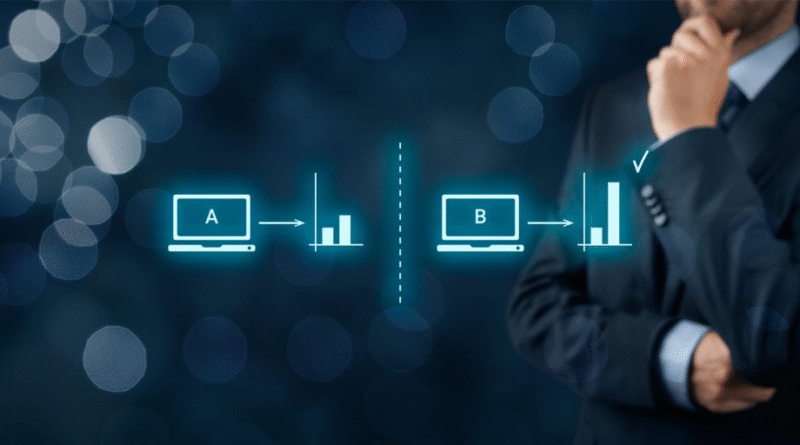
Create Multiple Variations for A/B Testing

Running ads or social media campaigns? Don’t settle for one image. Generate two or three variations with slightly different angles, colors, or vibes, then test them with your audience.
You might be surprised which one performs better. AI makes it fast and easy to experiment without wasting budget or waiting for a designer to make changes.
Combine AI Images with Text for Social Posts
Visuals are only half of the content equation. Pair your AI-generated images with bold headlines or text overlays to turn them into scroll-stopping social posts.
Many marketers use free tools like Canva or Adobe Express to add short copy to images. Think inspirational quotes, statistics, or questions. The combination of custom visuals and on-brand messaging helps boost engagement and saves you from relying on overused stock content.
Keep It Legal and Ethical
Before you download and publish your AI-generated image, double-check the usage rights. Most reputable platforms provide clear guidelines on commercial use, but it’s always smart to read the fine print.
Also, be transparent when it matters. If you’re using AI to create illustrations for an article or visuals for a client, consider noting that somewhere in the credits. Being upfront about your tools can actually build trust with tech-savvy audiences.
Fine-Tune and Edit for a Polished Look
AI can get you 80% of the way there, but sometimes the image will need a few tweaks. Maybe the lighting’s off, the colors clash with your brand, or a small detail looks strange. Try basic editing tools to tweak contrast, crop the image, or fix small imperfections.
Better yet, some apps offer built-in editing features like background removal or upscaling, so you can make the image sharper and more usable for print or digital formats.
Final Thoughts
Using AI-generated images doesn’t replace creativity; it extends it. With the right prompt, style, and purpose, you can create high-quality visuals quickly and keep your content competitive in today’s visual-driven world.
As long as you approach these tools with curiosity, intention, and a little editing finesse, they’ll become one of your most valuable assets in marketing and content creation. Try it out on your next campaign. You might just be surprised at what you create.
Artificial Intelligence – The Data Scientist