
When One Good Image Becomes Twenty Better Ones
 0
0
 0
0
Most people do not run out of ideas first. They run out of usable versions. A product team has one clean photo but needs five campaign styles. A creator has one strong portrait but wants to test different visual moods. A small brand has one decent asset and suddenly needs homepage graphics, ad creatives, social variations, and short-form content support. That is where Image to Image starts to make practical sense. Instead of treating visual work as a constant cycle of starting over, it treats a finished or half-finished image as something that can still move, adapt, and become more useful.
That distinction matters because modern visual production is rarely about making just one image. It is about building enough variation to fit multiple placements, audiences, and formats without collapsing under manual effort. In my observation, the most valuable tools in this category are not the ones that promise infinite creativity in abstract terms. They are the ones that help users turn one strong visual decision into a flexible visual system.

Why Finished Images Still Have More To Give
A strong image is not only a result. It is also a container of decisions. Composition, color, pose, framing, lighting, and emphasis have already been solved to some extent. Throwing all of that away and restarting from zero is often inefficient.
The Source Image Already Solves Key Problems
A source photo or reference image usually contains the hardest part of the work: what the subject is, where the viewer should look, and what emotional tone the image carries. That means the real task is often not creation from nothing. It is transformation with control.
Variation Is Now A Core Business Need
This is especially true for brands, creators, and independent teams. One visual is rarely enough anymore. Different channels demand different shapes of the same idea. What works in a product page banner may not work in a vertical social format. What feels refined in a hero image may feel too static in a promotional asset. A transformation workflow helps solve that mismatch.
What Makes This Workflow Feel Relevant
The public structure of the platform is interesting because it does not reduce everything to one generation button. It presents visual creation as a workflow with choices. That creates a very different user experience from tools that behave like closed black boxes.
The Platform Mixes Creation And Transformation
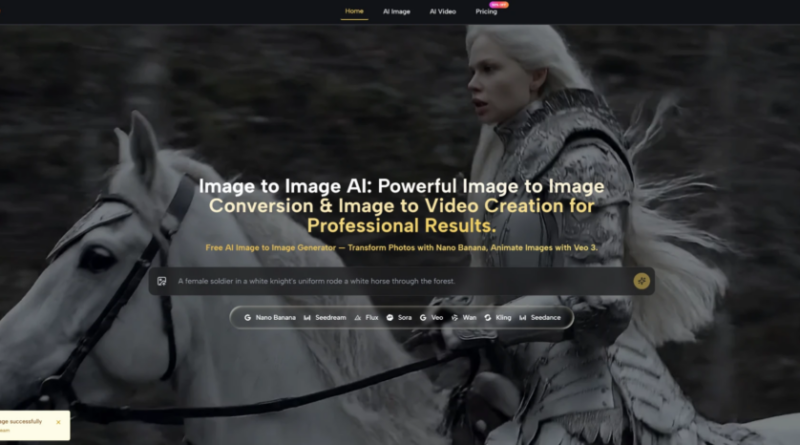
Publicly, the product places text-to-image and image-to-image side by side. That is important. Some people need to create from language. Others already have visual material and want to redirect it. Those are related tasks, but not identical ones. Treating both as valid starting points makes the platform feel more grounded in actual use.
The Model Layer Is Part Of The Product
From what is shown publicly, different models serve different purposes. The image side highlights options such as Nano Banana, Nano Banana 2, Seedream, Flux, GPT-4o, and others. The video side includes models like Veo 3, Veo 3.1, Kling, Wan, Runway, and Seedance. That suggests the product is not built around one visual philosophy. It is built around matching the right engine to the right job.
This Is Less About Magic Than Fit
That may sound less glamorous, but it is more useful. In my testing of similar products, results improve when users can choose between speed, realism, precision, and motion control instead of expecting a single model to do everything equally well. That appears to be part of the design logic here.
How The Public Workflow Appears To Operate
The public flow is simple, which is one reason the product is easy to understand. It takes a complex technical stack and turns it into a sequence that most users can follow without much friction.
Step 1. Start With An Image Or Idea
Toimage AI allows users to begin either from a text prompt or from an uploaded image. For image-to-image work, the uploaded image becomes the source material. This matters because it frames the tool as a transformation workspace rather than only a generator.
Step 2. Describe What Should Change
The next step is to explain the change in words. That may involve a new style, sharper detail, a different mood, a new background, or a broader reimagining of the scene. For motion-based output, the text can also describe camera direction, subject movement, or environmental action.
Step 3. Choose The Model For The Task
The model choice seems to be where much of the product’s real value sits. Publicly, some models are positioned around realism, some around speed, some around precision editing, and some around video animation. Instead of hiding that difference, the platform makes it part of the user decision.
Step 4. Compare Results And Iterate
After generation, users can refine the prompt, switch models, generate again, and compare outcomes. In practice, this iterative loop is often where the best outputs emerge. A platform becomes more useful when redoing the task feels lightweight rather than expensive.
Why One Starting Asset Can Unlock More Value
There is a practical elegance in using one existing image to build many possible outcomes. For a lot of users, that is more valuable than unlimited imagination with no structure.
Creators Can Explore Mood Without Losing Composition
A creator may already like the framing, pose, or visual balance of an image. What they want to test is mood: more cinematic, more editorial, more stylized, more realistic, or more dramatic. Image-to-image makes that shift possible without sacrificing the original logic of the frame.
Brands Can Extend Approved Visuals Faster
This is especially useful when internal approval matters. A team may already have one image that legal, brand, or product stakeholders have accepted. Extending that image into new directions can be easier than asking everyone to approve an entirely new visual language from scratch.
Smaller Teams Gain More From Reuse
Large teams can absorb inefficiency more easily. Smaller teams cannot. When one asset can become several useful outputs, the gain is not only aesthetic. It is operational.
How Different Model Paths Support Different Needs
The public model descriptions are part of what makes the product easier to interpret. Each route seems designed for a slightly different creative problem.
Nano Banana Focuses On Realistic Transformation
Nano Banana is presented as a strong image-to-image path for hyper-realistic output and guided transformation. If that public framing holds in everyday use, it makes sense for work where the source image needs to remain recognizable but more polished, more stylized, or more production-ready.
Multiple References Support Consistency
One especially practical detail is support for multiple reference images in Nano Banana. The public materials describe up to four references for consistency and character continuity. That suggests the platform is trying to solve repeatability, which is one of the most important problems in applied AI image work.
Nano Banana 2 Adds Scale And Resolution Flexibility
Nano Banana 2 appears to push the workflow further into production needs. It is described as supporting multiple outputs per request and higher resolution options such as 1K, 2K, and 4K. That is valuable when users need to compare results efficiently or prepare assets for different placements.
Seedream Prioritizes Speed Over Ceremony
Not every project needs maximum refinement in the first pass. Some users need fast exploration. Seedream seems aimed at that kind of work, where quick iteration and visual range matter more than extracting the last degree of nuance from each result.
Flux Looks Better Suited For Precision Work
Flux is positioned more like an editing instrument. It emphasizes context-aware changes, text handling inside images, and object-level precision. In other words, it seems designed for users who want to change something specific without disturbing everything else.
A Clear Look At Product Logic
| Workflow Element | What It Publicly Suggests | Why It Matters |
| Uploaded source image | Start from existing visual material | Reduces the need to rebuild composition from zero |
| Prompt-based transformation | Describe the change in words | Gives users directional control instead of random variation |
| Model selection | Different engines for different goals | Helps match realism, speed, or precision to the task |
| Reference image support | Guide style and consistency | Useful for recurring characters, branding, and series work |
| Iterative generation | Generate again and compare versions | Makes refinement part of the normal workflow |
Where This Type Of Tool Feels Most Convincing
The strongest use cases are not abstract art fantasies. They are practical scenarios where one image needs to become many.
Product Marketing And Visual Expansion
A product image can become lifestyle imagery, alternative backgrounds, sharper campaign variants, or more stylized creative directions. That is one of the clearest business uses because the base asset is already meaningful.
Portrait And Character Work
Portraits and character visuals benefit from controlled change. Users may want new styling, a different atmosphere, or visual continuity across a series. A reference-led workflow is better suited to that than fully open-ended generation.
Social And Editorial Content Systems
A social content system needs recurrence. The challenge is not making one attractive image. It is making many related images that still feel part of the same identity. This is exactly where guided transformation becomes more useful than raw novelty.
The Limits Should Be Taken Seriously
A more believable review should say this plainly: image-to-image is helpful, but it is not self-correcting.
Better Inputs Usually Produce Better Outputs
A weak source image limits the ceiling. A vague prompt blurs the direction. In my observation, users tend to get stronger results when they define both the stable parts and the changing parts of the image clearly.
Iteration Is Still Part Of The Process
The platform can shorten the path, but it does not eliminate trial and error. Some results will miss the tone, overcorrect the style, or preserve the wrong details. That is normal. The point is not to avoid iteration. It is to make iteration affordable.
Choice Introduces Responsibility
A multi-model platform gives more flexibility, but it also asks for better judgment. Users may need a little experimentation before they learn which model fits realism, which fits speed, and which fits precise edits.
Why The Bigger Theme Is Reusability
The most compelling idea here is not just transformation. It is reusability. A single visual decision can stretch much further than it used to. One image can become a system of outputs instead of a dead-end asset.
That changes how people think about visual production. Instead of asking, “Do I need a new image?” the better question becomes, “How much more value can I extract from the image I already trust?” In that shift, the platform feels less like a novelty generator and more like a practical creative multiplier. It gives existing images a second life, and sometimes that second life is more valuable than the first.
Artificial Intelligence – The Data Scientist