
9 Tools AI Startups Need After Launching Their First MVP
 0
0
 0
0
The first real users will do things your test group never tried. They will paste in strange inputs, skip setup steps, misunderstand features that seem obvious, and abandon the product without telling you why. A few will find value immediately. Others will need more guidance than the team expected.
That is normal. An MVP gives you something real to learn from, but the learning only helps when you can see what is happening.
The tools below cover the main problems that tend to appear after launch. They help teams monitor the product, study user behavior, explain unfamiliar workflows, collect useful feedback, and make the site easier to find.
1. PostHog for Seeing What Users Actually Do
Interviews are useful, but people do not always use a product in the way they describe. PostHog helps teams study real behavior inside the product. You can track the steps users take, see where they leave a workflow, and compare the actions of people who return with those who disappear after one session.
For an AI startup, that might mean watching how many users complete their first useful task, which feature they try first, and whether they return after receiving an initial result.
Keep the event setup selective. Tracking every click produces a crowded dashboard and a long afternoon of pretending it all means something. Start with the actions that show whether users reached value.
2. Sentry for Catching Problems Before Support Does
An MVP can look stable during a demo and behave very differently once dozens of people start using it. Different browsers, account states, devices, integrations, and input formats expose weak spots quickly. AI products also depend on model calls that may time out, return unusual formats, or fail halfway through a longer workflow.
Sentry gives developers a clearer picture of those failures. Instead of relying on a message saying “the page broke,” the team can inspect the error, release, browser, and actions that happened beforehand.
The best alerts are tied to meaningful parts of the product. A small display issue on an old settings page can wait. A failure during signup, payment, or the first AI-generated result probably cannot.
3. Langfuse for Understanding AI Output Quality
Standard monitoring tells you whether a request has been completed. It does not tell you whether the answer was accurate, relevant, or useful.
Langfuse helps teams inspect prompts, responses, latency, token use, and model behavior across a complete workflow. That becomes especially helpful when one user action triggers several prompts before producing the final result.
Suppose an AI research tool returns a weak summary. The problem might sit in the original prompt, a retrieval step, the selected model, or the way several responses were combined. Looking only at the final output leaves the team guessing.
Build a small evaluation set early. Internal examples are usually tidy. Real users are not. They submit vague requests, odd file formats, mixed languages, and instructions nobody on the product team thought to test.
4. Supademo for Reducing Repetitive Product Walkthroughs
AI products can be difficult to explain with screenshots and feature descriptions alone.
A visitor may understand the broad promise but still have questions about the actual workflow. What do they upload? What happens next? How much setup is involved? Where does the final result appear?
Founders often answer those questions through live demos. That works while the company has a handful of prospects, but repeating the same walkthrough several times a day quickly eats into product work.
An AI demo assistant can guide visitors through relevant product material, answer common questions using approved information, and help the sales team understand what interests each prospect. That gives potential users room to explore without forcing every conversation into the founder’s calendar.
Keep each demo centered on one task. A focused walkthrough showing how to analyze a document or create a report will usually teach more than a long tour through every tab and setting.
5. Prerender for Helping Crawlers Read JavaScript Pages
Many AI startups build their marketing sites and public product pages with JavaScript frameworks. Those frameworks can create fast, responsive interfaces for people, but crawlers may not always see the same complete page. Product descriptions, use cases, documentation, and comparison content can be harder to process when most of the page is rendered in the browser.
Prerender creates rendered HTML versions of JavaScript pages for crawlers. Human visitors still use the regular interactive site, while bots receive a version that is easier to read.
This can help when a page looks complete in a browser but the original HTML contains little meaningful copy or few discoverable links.
Test before adding another service to the stack. Search Console and a suitable crawler can show whether Google is seeing the content properly. Using React or Vue does not automatically mean the site has a rendering problem.
6. Userback for Feedback That Comes With Context
Broad feedback questions tend to produce broad answers. A user saying “the dashboard is confusing” gives the team very little to work with. A screenshot marked around the exact control they could not find is far more useful.
Userback lets people submit visual feedback from inside a website or product. They can capture the screen, highlight a specific area, and explain what they expected to happen.
That context helps product and engineering teams separate different kinds of problems. A broken button needs a different response from a feature request. So does an AI answer that feels weak even though the interface worked as expected.
Ask users to describe what they were trying to do. The intended task often reveals more than the complaint itself.
7. Linear for Keeping the Backlog Under Control
Once feedback begins arriving from analytics, support messages, sales calls, and bug reports, the backlog can become a graveyard for every idea anyone has ever mentioned.
Linear gives teams a clear place to organize issues, product work, and release cycles. The software helps, but the bigger gain comes from using a consistent way to judge requests.
A suggestion should not jump to the front because one customer asked loudly. Look at how many suitable users are affected, whether the issue blocks activation or payment, and whether the problem appears repeatedly across different channels.
Small teams often benefit from a blunt order of priority. Fix failures that block the product first. Then deal with repeated friction. Interesting ideas can wait until there is enough evidence that they deserve engineering time.
8. HubSpot for Keeping Early Customer Conversations Together
At the start, customer information tends to live everywhere. One founder has notes in a document. Another remembers a prospect’s main concern from a call. Follow ups sit in several inboxes, and nobody is fully sure which conversation needs attention next.
HubSpot gives the team one place to record contacts, deal stages, conversations, and next steps. The setup does not need to be elaborate. A young startup with an unclear sales process will not benefit from building a maze of fields and automations.
Record the details that improve the next conversation. The buyer’s role, company type, main problem, preferred use case, concerns, and agreed next step are usually enough.
Those notes also help the product team spot patterns. Ten separate sales calls may reveal that prospects keep asking for the same integration or misunderstanding the same feature.
9. Cloudflare for Performance and Basic Protection
A public launch attracts more than potential customers. Bots, automated requests, scrapers, and sudden traffic spikes may all reach the product. For an AI startup, poorly controlled traffic can become expensive because each request may trigger a model call or another paid service.
Cloudflare can help with content delivery, traffic management, caching, domain security, and protection against common attacks.
Pay close attention to expensive endpoints. Rate limits and authentication matter more when one automated request can start a costly inference process. Caching can also reduce repeated work when users request the same public content.
Avoid rules that are so aggressive they block genuine customers. The aim is to stop wasteful or harmful traffic without turning normal product use into an obstacle course.
Build the Stack Around the First Real Bottleneck

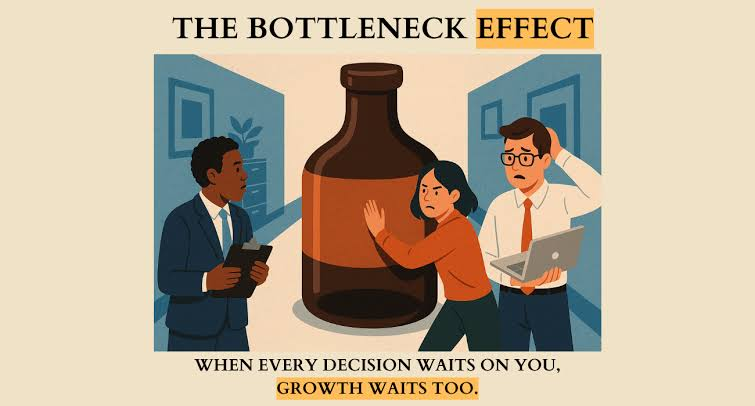
An AI startup does not need all nine tools the moment the MVP goes live. The right order depends on what starts going wrong. A product with steady traffic and poor retention may need better behavioral data. A technically complex application may need stronger error monitoring and AI tracing. A startup with interested prospects but weak activation may need clearer product education.
Use tools to answer specific questions. Can users find the product? Do they understand it? Can they complete the main task? Does the output hold up outside a controlled test? Can the team spot failures quickly enough to fix them?
The MVP creates the first honest version of those questions. A sensible tool stack helps the team answer them before adding another round of features.
Artificial Intelligence – The Data Scientist