
Protecting Sensitive Business Documents: Enterprise-Grade Security in Modern Information Management
 0
0
 0
0
Your organization’s most important assets are no longer physical — they exist as digital files stored across multiple repositories, devices, and cloud systems. Yet many of these environments lack the protection required for handling confidential or high-value information.
According to IBM’s 2024 Data Breach Report, 73% of organizations experienced at least one data breach in the past two years, and business documents remain among the most commonly targeted assets.
While most leaders understand the importance of document security, the gap between what organizations believe they are protecting and what they actually secure remains significant. Many still store contracts, customer records, financial data, and intellectual property in general cloud storage or email — tools not designed for true security.
This article explains the foundations of enterprise document protection, including:
- Encryption
- Access control
- Audit trails
- Compliance features
- The role of virtual data rooms (VDRs)
1. Growing Threats to Unprotected Business Documents
Every organization faces evolving threats aimed directly at stored documents. Attackers target repositories because these files often contain:
- Customer lists
- Financial statements
- Strategic plans
- Intellectual property
Once accessed, this information can be stolen, leaked, or used for extortion.
1.1 Primary Threat Categories
- Ransomware attacks — Criminals encrypt storage systems and demand payment.
- Insider threats — Employees or contractors accessing files beyond their permissions.
- Unauthorized access — Stolen credentials enabling invisible entry.
- Uncontrolled sharing — Files forwarded or downloaded without limits.
According to the Verizon DBIR, over 60% of document-related breaches result from poor access control.
1.2 Emerging Risks
- AI-enhanced phishing impersonating executives.
- Shadow IT — documents stored in personal drives or apps.
- Remote work exposure — personal devices, home networks, shared Wi-Fi.
- Lost or stolen devices containing local copies of files.
Without enterprise-grade systems, even one unprotected document becomes a weak point.
2. Why General-Purpose Storage Tools Fail
Standard collaboration tools are convenient, but they were not designed for sensitive business information. They lack:
- Enterprise-grade encryption
- Granular permissions
- Complete audit logs
- Compliance documentation
- Access revocation
- Screenshot/printing restrictions
This increases exposure and limits the organization’s ability to track, control, and secure documents.
3. Enterprise-Grade Security Infrastructure
Enterprise platforms provide an end-to-end security framework covering the entire document lifecycle.
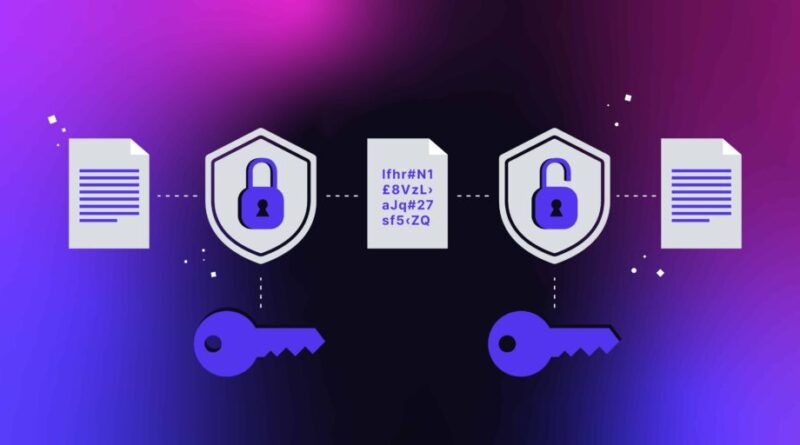
3.1 Encryption and Data Protection

Strong encryption is foundational. Enterprise solutions include:
- AES-256 encryption at rest
- TLS 1.2+ encryption in transit
- Secure key management
- End-to-end encryption that blocks even the vendor from accessing files
3.2 Advanced Access Control
Layered permissions protect sensitive information:
- Multi-factor authentication
- Role-based access control (RBAC)
- Time-limited or event-based access
- No-download/no-print restrictions
- Dynamic watermarks
3.3 Monitoring, Accountability, and Compliance
Enterprise systems maintain comprehensive logs:
- Who viewed each document
- When access occurred
- Actions taken (view, download, share)
- Failed login attempts
- Permission updates
- Suspicious access from unusual devices or locations
Modern platforms also use behavioral analytics to detect abnormal behavior and automatically block access.
These features are essential for compliance with GDPR, SOC 2, HIPAA, and the CCPA, as well as industry regulations.
4. Virtual Data Rooms: Purpose-Built Protection
Virtual Data Rooms (VDRs) are the standard for handling high-value or regulated documents.
4.1 What Sets VDRs Apart
VDRs offer:
- Centralized secure repositories
- Granular role-based permissions
- Complete audit trails
- Backup and disaster recovery
- Digital Rights Management (DRM)
- Built-in encryption
- Secure sharing workflows
- Integration with enterprise systems
Organizations using VDRs report:
- Faster audit preparation
- Fewer security incidents
- Higher confidence in compliance
- Stronger internal governance
5. Best Practices for Protecting Sensitive Documents
To reduce risks, organizations should:
- Inventory all sensitive documents.
- Assess current storage and security gaps.
- Adopt enterprise-grade tools such as a VDR.
- Enable multi-factor authentication everywhere.
- Classify documents by sensitivity.
- Train staff regularly on secure handling.
- Conduct periodic permission reviews.
- Monitor user activity for anomalies.
- Maintain an incident response plan.
Companies that follow these steps significantly reduce exposure to breaches.
Conclusion
Document protection requires more than convenient storage or basic passwords. Enterprise-grade security — supported by encryption, monitoring, and compliance features — ensures that sensitive information remains safe.
A virtual data room provides a purpose-built environment that strengthens security, improves audit readiness, and lowers breach risk. Organizations adopting these systems gain greater control and resilience.
Your confidential information deserves protection proportionate to its value. Implementing the proper infrastructure today helps safeguard your organization tomorrow.
Artificial Intelligence – The Data Scientist