
The Data Science Behind AI Video Upscaling: How Neural Models Restore Detail
 0
0
 0
0
The number of arXiv preprints on video super-resolution has roughly tripled in the past three years, and the gap between research-grade models and shipping consumer tools has narrowed to under twelve months on average. For data scientists curious about why AI video upscaling has gone from novelty to commodity so quickly, the short answer is that the architectures and the loss functions both matured. This piece looks at what is happening inside a modern video super-resolution model, what the trade-offs are, and which four tools including UniFab are useful for practical evaluation work. The underlying open problem — recovering plausible high-frequency detail from a degraded low-resolution signal — is far from solved in theory even as it has become eminently usable in practice.
What an upscaler is really doing
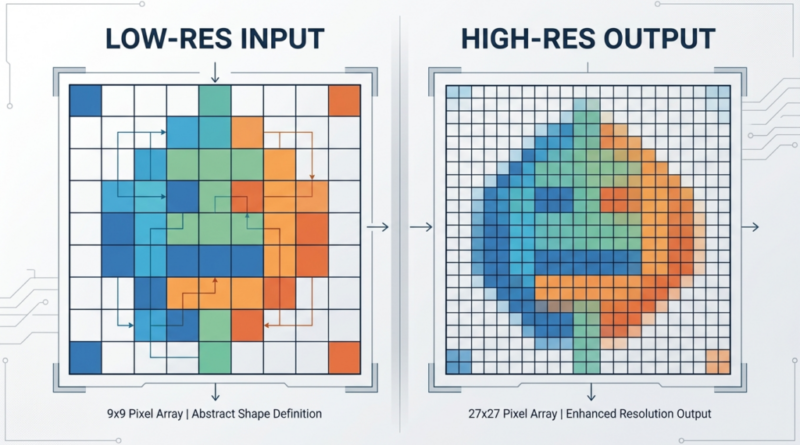
Image super-resolution is an ill-posed inverse problem: many possible high-resolution images could plausibly downsample to a given low-resolution input. The job of a neural upscaler is to learn a prior over what a real high-resolution frame tends to look like, then condition that prior on the low-resolution input to produce a single plausible output. Modern architectures — typically convolutional backbones augmented with transformer blocks, sometimes paired with diffusion-style refiners — perform this conditioning across time as well as space, which is why video models handle motion stably where naive frame-by-frame stills do not.
Where the practical trade-offs live
Four trade-offs determine which model you reach for in a given project.
- Fidelity vs perceptual quality. PSNR-optimal models tend to look smooth; perceptually trained ones add texture but sometimes hallucinate.
- Temporal coherence vs sharpness. Stronger temporal smoothing reduces shimmer but softens fine detail.
- Domain match. A model trained on natural video may underperform on anime, screen content, or medical imaging.
- Compute cost. Diffusion-based refiners deliver striking results but cost orders of magnitude more inference time than feed-forward models.
There is no single model that wins on all four, which is why evaluation should reflect your actual workload.
Four tools useful for evaluation and production
We benchmarked the four below on a standard set: a 720p natural-video clip, a 480p anime sequence, and a 1080p screen capture. Hardware: an NVIDIA RTX 4080 desktop for local apps and a Chrome browser for cloud tools.

UniFab Video Enhancer Online
Video Enhancer Online is a useful cloud baseline for practical benchmarking because it removes the local-hardware variable. 2x upscaling, noise reduction, and detail recovery run on the FabCloud GPU pool. New accounts get free credits, which is enough to run a small benchmark suite. Trade-off: the 2x ceiling means the tool is not directly comparable to research baselines at 4x or 8x. For shipping projects under that resolution gap, the convenience outweighs the limit.
Topaz Video AI
Topaz is the desktop tool many production data teams use as a quality reference. Multiple model choices and exposed parameters make it useful for ablation-style testing. The license cost and the lack of a programmatic API are friction for batch research.
Real-ESRGAN (open source)
Real-ESRGAN remains a useful open baseline for image super-resolution and a starting point for many research forks. It is not optimised for video out of the box, so temporal coherence requires a wrapper or a video-specific fork.
Pixop
Pixop is a cloud platform with a paid API option, which is the relevant feature for data scientists who want to run large batches without local infrastructure. The per-minute cost model is the trade-off to plan around.
A benchmark workflow that fit a one-week sprint
A small team we corresponded with built a comparative quality benchmark across three commercial and two open-source upscalers in a single sprint. They settled on a standard reference set, an AI Video Upscaler for the multi-model commercial path, and a deterministic LPIPS and VMAF evaluation step. The total cost came in under $400 in cloud credits, and the report informed a roadmap decision for a downstream product feature. The repeatable methodology was more valuable than the specific result, which they expected to shift as the next generation of models shipped.
FAQ
Are perceptual metrics enough for evaluation?
No. Pair perceptual scores (LPIPS, DISTS) with fidelity metrics (PSNR, SSIM) and a human rater study for high-stakes decisions.
Why do upscalers fail on screen content?
Most are trained on natural video. Screen content has sharper edges and text, which the prior does not model well. Use a domain-specific model where possible.
Is diffusion-based upscaling production-ready?
For short clips yes, for long-form generally not yet. Inference cost is the limiting factor.
Can I fine-tune a commercial upscaler on my own data?
Most do not expose training APIs. For domain adaptation you usually fall back to open-source models.
Are there established benchmark datasets for video super-resolution?
Yes — Vimeo-90K, REDS, and a handful of more recent academic sets cover most evaluation needs. Mix at least one in-domain set with a public benchmark to keep results comparable.
Final thoughts
Video super-resolution has become useful enough to be boring, which is the strongest possible compliment for an applied AI video upscaling category. The interesting work for a data scientist is now less about the model and more about the evaluation methodology and the production cost curve. The tools above give a working starting point for both threads of that work.
Artificial Intelligence – The Data Scientist