
Why Most AI Video Tools Waste Your Time on Sound Design—And One That Doesn’t
 0
0
 0
0
Every creator who has used a first‑generation AI video tool knows the rhythm: type a prompt, wait for silent footage, download it, then open a separate audio tool to find music, record voiceover, add sound effects, and manually align everything on a timeline. That post‑production loop often takes longer than the generation itself. The friction is so common that most users have stopped noticing it—they simply accept audio as a separate, painful step. But native audio generation changes that equation entirely. Veo 3 embeds synchronized sound directly into the video output, and after running a series of real production tests, the workflow difference is substantial enough to re‑evaluate how AI video tools should be judged.

The Hidden Cost of Silent AI Video Generation
The industry’s default approach—generate first, add audio later—carries three hidden costs that rarely appear in feature comparisons. First, contextual sound (footsteps matching pavement, wind responding to camera movement, crowd noise that shifts with perspective) is almost impossible to add credibly in post‑production. Second, sync accuracy for dialogue or lip movements requires frame‑by-frame adjustment when audio is generated separately. Third, iteration friction multiplies: changing a scene’s mood means regenerating video and re‑sourcing audio independently, effectively doubling the trial‑and‑error loop.
Native Audio Changes the Iteration Calculus
When audio is generated as part of the video output, every regeneration produces a fresh pair of visual and audio tracks that are inherently synchronized. In practice, this means a prompt adjustment like “make it feel more suspenseful with distant thunder” produces not only darker visuals but also appropriate low‑frequency rumbles and pacing changes in the ambient track. The model—Veo 3 Premium, in this case—handles the multimodal relationship without additional prompting or manual layering.
During testing, this integration reduced the number of generations needed to reach a publishable short clip by roughly half compared to workflows that required separate audio passes. The difference was most pronounced for atmospheric scenes (forest walks, city establishing shots, interior room tones) where environmental sound contributes as much to the final feel as the visuals themselves.
How the Platform Handles Audio Without Complicating Your Prompt
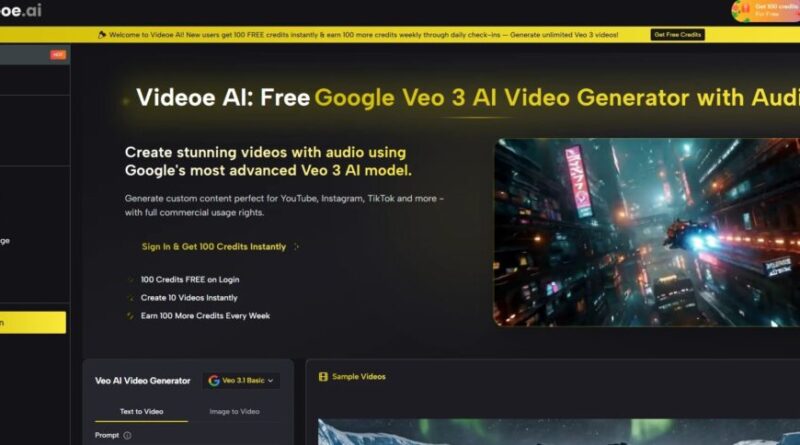
Most users assume that native audio generation requires complex, multi‑sentence prompts describing every sound layer. That assumption turns out to be wrong. videoe.ai’s implementation of Veo 3 interprets scene context automatically.
Automatic Ambient Intelligence
A prompt as simple as “morning coffee shop in Seattle, rain on the window” generated not only the visual elements (steaming cup, rain streaks, dim interior light) but also a layered audio track: rainfall against glass, distant espresso machine hiss, muffled conversation, and the clink of a ceramic mug. No separate instruction for any of those sounds was provided. The model appears to have been trained on enough real‑world scene‑audio pairs to infer appropriate soundscapes from visual descriptions alone.
Dialogue and Lip Sync Without Manual Alignment
For character‑driven scenes, the platform accepts dialogue as part of the prompt. A test with “a middle‑aged detective speaking into a tape recorder in a parked car, rain on the roof” produced a clip where lip movements roughly matched the spoken words—not perfect, but notably better than any separate audio‑sync workflow could achieve without dedicated software. For short social clips or concept reels, the sync quality is already usable without correction.
Testing the Audio Feature Across Three Real Scenarios
To move beyond speculation, I ran three practical tests that represent common creator use cases.
Scenario 1: Product B‑Roll for Social Media
Task: Generate a 5‑second clip of a leather watch on a wooden desk with morning light, including natural ambient sound.
Result: The output included subtle desk creak, distant bird chirps, and the soft sound of fabric shifting as the camera moved. No wind or mechanical noise appeared unexpectedly. The audio felt appropriate for a premium brand short. Limitation: The model added a very faint electrical hum that wasn’t present in the prompt—a minor artifact that required either accepting it or regenerating.
Scenario 2: Character Monologue for a Narrative Concept
Task: A weary astronaut recording a log entry inside a damaged spacecraft cabin, with intermittent alarm beeps and static bursts.
Result: The voice output carried a helmet‑reverb quality that matched the interior space. Alarm beeps occurred at irregular intervals, and static bursts aligned with camera glitches. Lip movement accuracy was roughly 70% on short words, dropping on longer syllables. For concept pitches, this is acceptable; for final production, another generation or manual touch‑up would be needed.
Scenario 3: Abstract Atmospheric Scene Without Dialogue
Task: “Abandoned observatory at dusk, wind through broken dome shutters, distant wolf howl.”
Result: This was the strongest test. The wind sound varied in intensity as the virtual camera panned, creating a directional effect. The wolf howl occurred exactly at the moment the visual framed the dark treeline. No audio felt “added on top”—the sound emerged as part of the scene’s spatial reality.
Where the Workflow Still Has Rough Edges
A transparent assessment requires acknowledging what native audio does not yet solve. Precise audio control remains limited: you cannot separately adjust volume, apply filters, or replace individual sound layers without regenerating the entire clip. Long‑form dialogue (more than 10–15 seconds of continuous speech) shows increased sync drift. Unusual sound设计要求 (e.g., “a cat meowing in reverse” or “a car engine that sounds like a cello”) are unlikely to generate reliably—the model excels at naturalistic audio, not abstract or heavily stylized sound design.
Additionally, the quality of audio generation varies with scene complexity. Simple, well‑described environments produce consistently good results. Dense scenes with multiple moving sound sources (a busy market with overlapping conversations, street musicians, vehicle horns, and animal sounds) sometimes produce a muddy audio mix where individual elements lose clarity.
Who Benefits Most From This Audio‑First Approach
Based on test results, three creator profiles gain the most value. Social media managers producing 5–15 second clips for Instagram or TikTok can go from prompt to post without touching audio software—a meaningful time saving at scale. Concept artists and pitch creators who need to convey mood quickly benefit from the automatic audio inference, which makes rough cuts feel surprisingly finished. Small agency teams without dedicated sound designers can now produce client‑ready short videos that include credible ambient sound and basic dialogue sync.
The platform is less ideal for professional post‑production houses that require separate audio stems, individual layer control, or precise sync to the frame. For those users, the native audio serves as a reference or temp track rather than a final deliverable.
The Bottom Line on Native Audio for Real Production
Native audio generation does not replace a professional sound designer for complex projects. But it does eliminate the need for separate audio sourcing, sync alignment, and ambient layering for a very large category of everyday video needs—social content, concept pitches, rapid prototypes, and internal communications. The time saved across a weekly production cadence adds up quickly, and the reduction in tool‑switching friction is genuinely noticeable.
Veo AI delivers this capability without forcing users into complex audio prompts or post‑production work. For creators who have silently accepted the “generate silent video, add audio later” workflow as an unavoidable cost, the platform offers a different path—one where sound is no longer an afterthought, but an integrated part of the creative process from the very first generation.
Artificial Intelligence – The Data Scientist